If you haven't yet, follow us on X (Twitter), Mastodon, or Bluesky to know when we post new articles, and join our Reddit or Subscribe to us on YouTube to check out our content and interact with our awesome community. Thank you for supporting us!
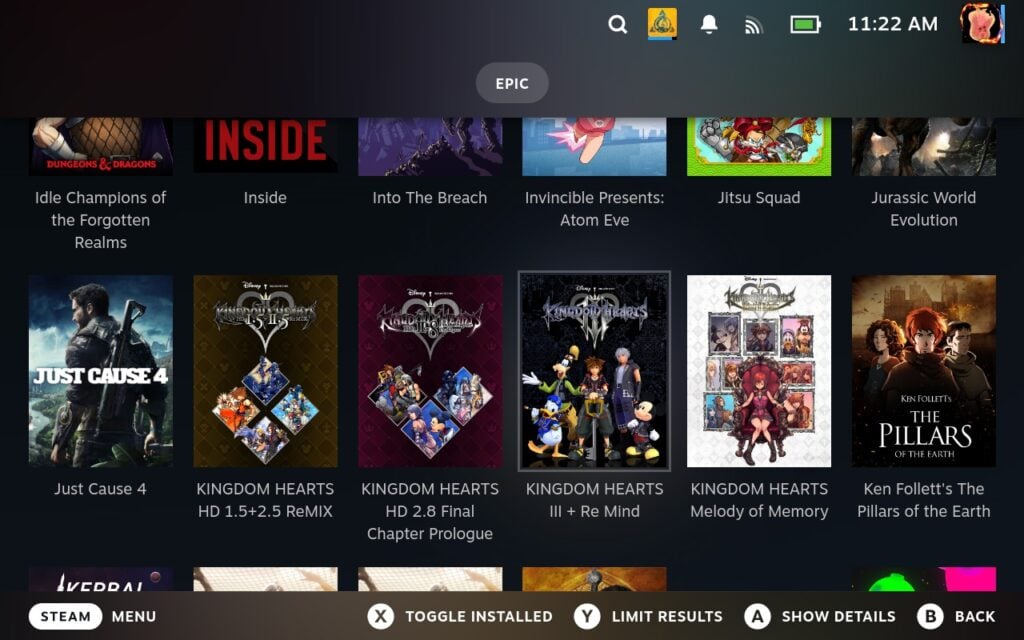
Even though the Steam Deck is clearly geared towards the Steam store, we can play games from other storefronts as well. Stores like the Epic Games, GOG, Amazon Prime, itch.io, and more are all playable on the Deck. It does take some extra steps to set up, but once it is done, it works wonderfully, and playing games from these stores becomes easy. There are many ways we can do this, but there are only a few that integrate nicely within Game Mode, and Junk Store is one of them.
To use Junk Store, you will have to have the Decky Plugin Framework installed on your Steam Deck. You can follow our guide on how to get this installed and set up.
Junk Store is a plugin that can be used to integrate games from other game stores, like the Epic Games Store, into Game Mode. It streamlines the process nicely and makes it great to use if you have the Decky Plugin Framework already implemented. However, it does have some limitations, saving some features, like extra store support, into their paid application Junk Store 2.0. Still, that doesn't mean the free plugin version is being abandoned, and a new update was pushed out that offers a nice option for those looking to push framerate.
In the new 1.1.13 update, support for Lossless Scaling Frame Generation via lsfg-vk was added to the plugin. This should allow you to inject and use lossless scaling frame generation to artificially inflate the framerate on games with Junk Store without needing to download any other plugin. This is a nice development, and while it isn't a cure-all to bring up the framerate of any game, it's a fantastic option to have.
The Junk Store plugin can be used with the Decky Plugin Framework, though the free version can only be used for Epic Games store. If you want to use Junk Store with storefronts like GOG and Amazon Prime, you will need to pay $40 annually. However, there are other free plugins to use other storefronts, like Unifideck, and some free third-party launchers like the Heroic Launcher or Lutris.
If you enjoyed this article, check out the rest of the content on SteamDeckHQ! We have a wide variety of game reviews and news that will help your gaming experience. Whether you're looking for news, tips and tutorials, game settings and reviews, or just want to stay up-to-date on the latest trends, we've got you covered!

RECENT NEWS
Categories
Accessories
Anbernic
Android
ASUS ROG Ally
ROG Xbox Ally
Classics on Deck
Community
Cryobyte33
Deals
Deck Mods
Emulation
Events
Featured Post
Game News
Game News
General Game News
HandheldHQ
Hardware
Lenovo
Linux
MagicX
Nintendo
ONE-NETBOOK
Opinion
Other Reviews
Accessory Reviews
Handheld Reviews
PlayStation
Proton
Retro Handhelds
Anbernic
AYANEO
AYN
GPD
MagicX
MANGMI
Retroid
TrimUI
SDHQ
Steam
Steam Machine
SteamOS
The Unsupported Report
Uncategorized
Uncategorized
Recent Tips & GUIDES
recent reviews