まだの方は、X(Twitter)、Mastodon、Blueskyでフォローし、新しい記事が投稿されたらお知らせください。また、Redditに参加したり、YouTubeに登録して、私たちのコンテンツをチェックしたり、素晴らしいコミュニティと交流してください。応援ありがとうございました!
When trying to find out which games can be played on the Steam Deck or not, most people will default to Valve's official system: The Steam Deck Verified system. Valve marks games based on their own internal tests to see which are perfectly playable on the Steam Deck, which are playable with some minor issues here and there, and which aren't playable at all. However, the system isn't perfect, and some games that are Verified are not the best to actually play. But it also goes both ways. There are also lots of Unsupported games that actually are playable on the Steam Deck.

So, in this new weekly series, I want to focus on those "Unsupported" games. Each week, we will take a look at 2-3 games to see if they are actually unplayable on the Deck, and if they are, we will see if there's a way to make them playable and detail it. With almost 4,800 games rated Unsupported, not counting VR games, I want to take a look and see if these ratings are actually legitimate or if Valve missed something.
So, let's go ahead and dive into our first three games we are checking out:
Batman: Arkham Origins
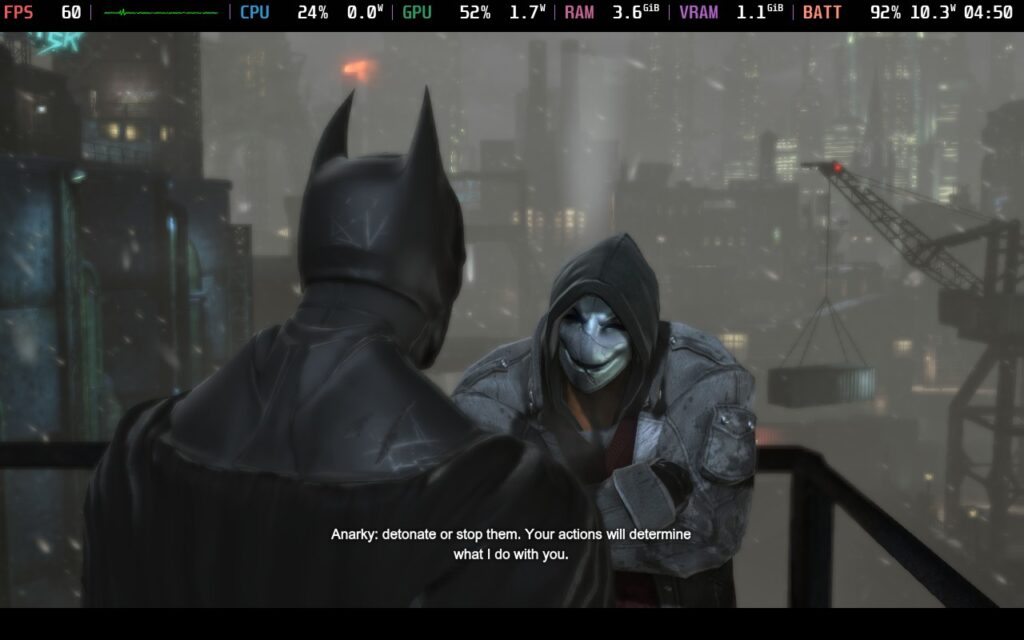
This one is actually shocking, since Batman: Arkham Origins runs flawlessly on the Steam Deck. Booting it up without changing any Proton layer into the default setting had it running nicely at 60 FPS, no changes needed. There are some ProtonDB entries that mention some minor issues here and there, but none that I would say make it deserve an Unsupported badge.
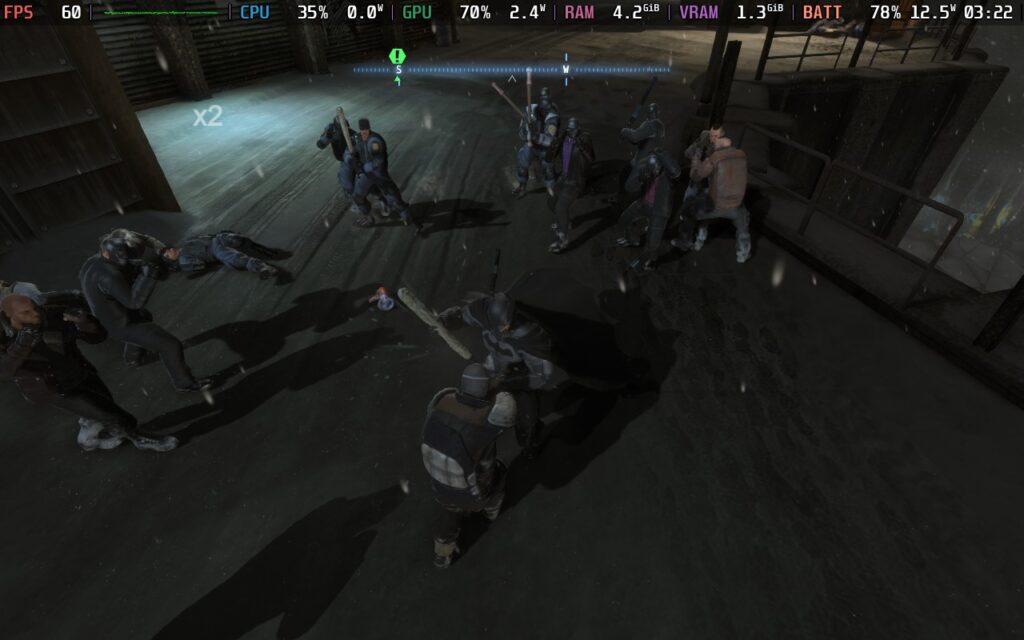
The only one that raises any flags is Killer Croc disappearing during the boss fight, but those reports stopped coming in later on, and I didn't see any issues like that. So, I recommend playing with Proton GE's latest version to be safe, but the game is overall very playable on the Steam Deck regardless.
Ultimately, Batman: Arkham Origins is just a joy to play on the Steam Deck, and I found no reason not to. I wish I could say more about it, but there really isn't much more to say. It's just great! If you encounter the Killer Croc issue, you should still be able to beat and complete it, and once you are past that spot, it should be smooth sailing for the rest of the game.
Tabletop Simulator
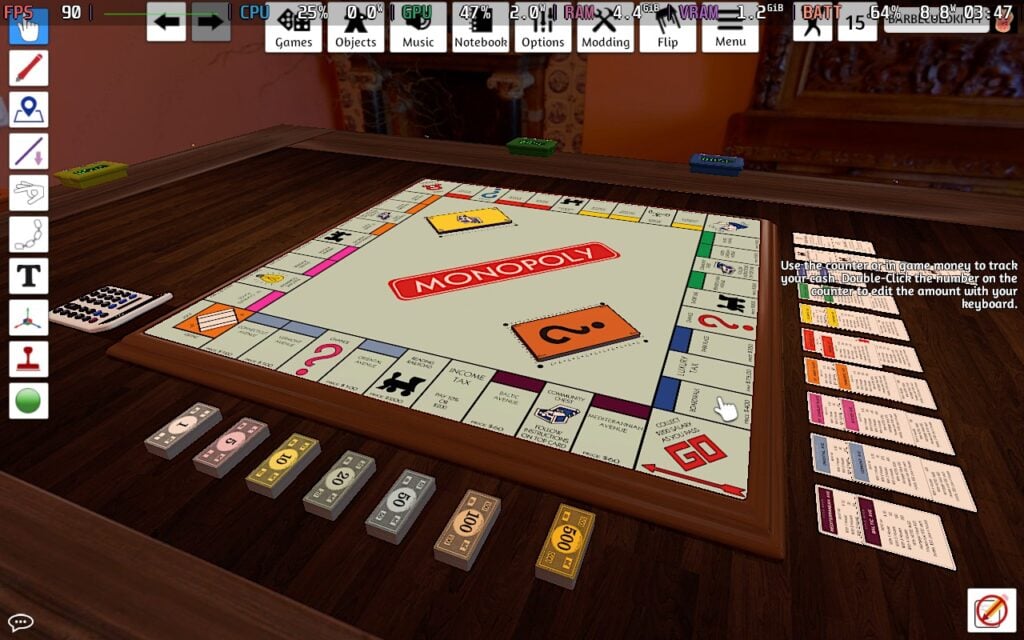
Just like Batman: Arkham Origins, Tabletop Simulator is a joy to play on the Steam Deck. It runs like a charm, easily hitting 90 FPS in custom games like Monopoly and official ones like Poker. I did notice some extra battery drain at certain angles, but for the most part, it would stick to 90 FPS and stay under 10W battery drain for over 4.5-5 hours of battery.
It is a little awkward to control, as this is best played with a mouse and keyboard, but it's very doable. The official controller scheme works as intended, but you will need to go to the settings and enable controller controls in the options. After that, everything worked much more nicely, and I had no issues playing. It also boots up without any issue, using the native Linux build just fine.
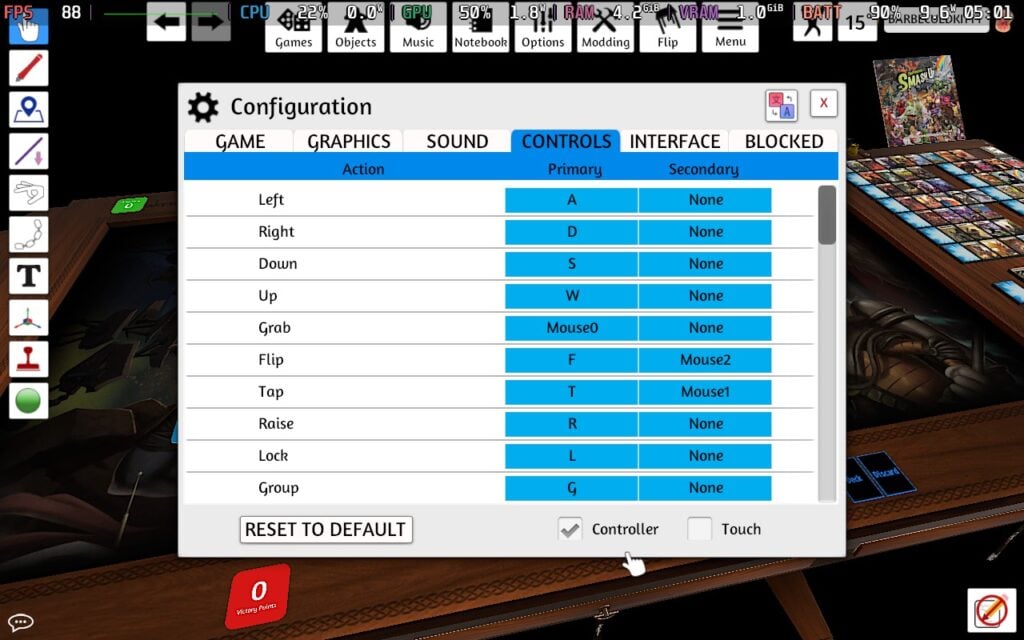
With this being a simulator, there may be some custom games that drain more or use too many physics objects, but apart from the weird controls and needing to enable it in the settings, there shouldn't be many issues playing on the Steam Deck.
Dark Souls: Prepare to Die Edition
I consider this one more like an extra, but as someone who owns it, I wanted to check it out anyway! Dark Souls: Prepare to Die Edition runs flawlessly on the Steam Deck. The game is locked to 30 FPS, but controls work like a charm. However, the game does have some pretty massive drops in some scenarios, like when the dragon is blowing fire on the bridge, and can cut framerate down to 15 FPS.
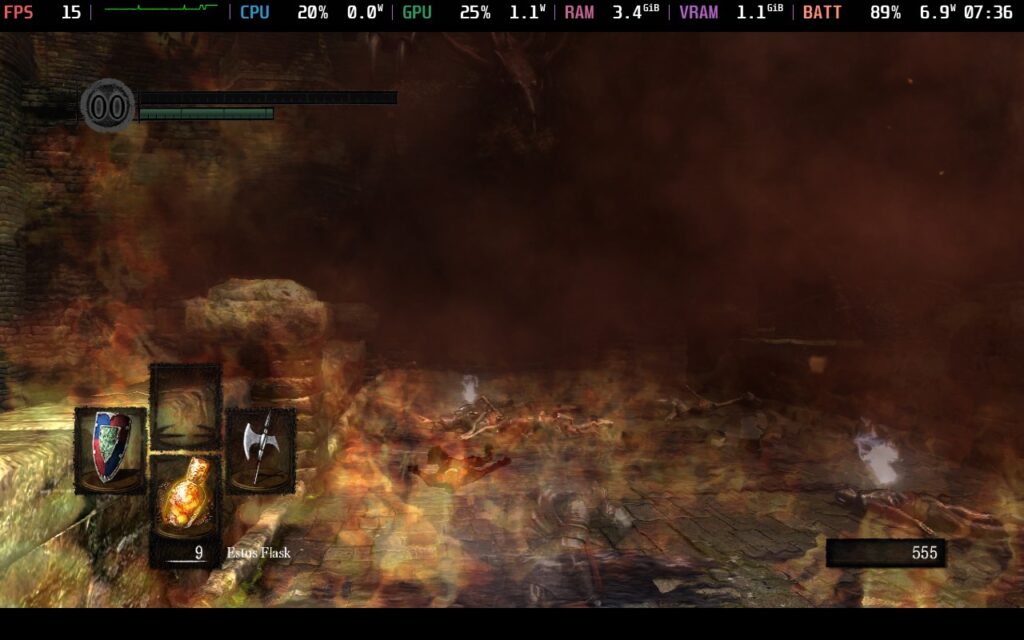
To fix this, there is a mod that we can use called DSFix. This is a DLL wrapper that can help us change settings that aren't accessible in the regular version of the game. It's super easy to install as well. All we need to do is download it in Desktop Mode, move everything downloaded into the game's DATA folder, which we can find by right-clicking on the name of the game in our Steam Library and clicking "Browse Local Files", and then putting in this launch option for the game:
WINEDLLOVERRIDES="dinput8=n,b" %command%We can fine-tune settings by modifying values manually in the DSFix.ini file that is now in your DATA folder. There are also no online capabilities, so don't expect to play online at all, but it is still very playable.
The game is no longer sold on the Steam store, defaulting to Dark Souls Remastered (which is rated Playable), but for those who own the old version of the game, just know it runs, runs well, and is still a treat to play. It may not be preferred over Remastered, which still has online and is actually sold, but it works, and that's what matters!

And that's all for this edition of the Unsupported Report! Each of the three games is technically playable and enjoyable to some extent, though Dark Souls needs a little extra work. I would consider every one of them at least Playable status, though I can see Arkham Origins getting the Verified badge.
この記事を楽しんでいただけたなら、SteamDeckHQ の他のコンテンツもチェックしてみてください!あなたのゲーム体験に役立つゲームレビューやニュースを幅広く取り揃えています。ニュース、ヒントやチュートリアル、ゲーム設定やレビュー、最新のトレンド情報など、あらゆる情報をお届けします。 カバーしています!

最近のニュース
カテゴリー
Accessories
Anbernic
Android
ASUS ROG Ally
ROG Xbox Ally
Classics on Deck
Community
Cryobyte33
Deals
Deck Mods
Emulation
Events
Featured Post
Game News
Game News
General Game News
HandheldHQ
Hardware
Lenovo
Linux
MagicX
Nintendo
ONE-NETBOOK
Opinion
Other Reviews
Accessory Reviews
Handheld Reviews
PlayStation
Proton
Retro Handhelds
Anbernic
AYANEO
AYN
GPD
MagicX
MANGMI
Retroid
TrimUI
SDHQ
Steam
Steam Machine
SteamOS
The Unsupported Report
Uncategorized
Uncategorized
最近のヒント&GUIDES
新着レビュー