


まだの方は、X(Twitter)、Mastodon、Blueskyでフォローし、新しい記事が投稿されたらお知らせください。また、Redditに参加したり、YouTubeに登録して、私たちのコンテンツをチェックしたり、素晴らしいコミュニティと交流してください。応援ありがとうございました!
It's Friday, which means another edition of Classics on Deck is here! Last week, we checked out The Simpsons Hit & Run and Sacrifice, but this week, we got two games that are a bit more action-packed. We have the first-person tactical shooter, SWAT 4 Gold Edition (from Noah Kupetsky), and the third-person Transformers: Fall of Cybertron (Michael Baker).
Classics on Deck #5:
SWAT 4 Gold Edition (2005)
- Digital Availability: GOG and PC CD-ROM (ISO)
- Version Tested: GOG Through Heroic Launcher
- Wine/Proton Version Used: Latest Stable Wine GE (Wine-GE-Proton8-26)
Installation Guide
So for SWAT 4 Gold Edition, there are two ways you can get the game. You can get it on GOG for $9.99 or installing the game via a PC CD-ROM. While you can most likely install the game through a disk via a USB Disc Drive or on Windows and carry the files over, I elected to just use the digital version that is preserved on GOG.
This was relatively easy to get working. You can use the Heroic Games Launcher, Lutris, or install the .exe directly. I decided to stick to Heroic Launcher to make the process more streamlined and easier overall, but there are many ways to skin a cat here. So, for Heroic, just log into your GOG account and let your library load in. Then, install SWAT 4 Gold Edition. Once that's installed, go to the game's settings and make sure the Wine Version is set to Wine-GE-Proton8-26. This is the default, but I always like to check. Then, hover over the preferences and just click on "Add to Steam."
Before we play the game, we are going to want a better controller scheme here. There is no proper controller support, and SWAT 4 is very technical, so there are a solid amount of bindings. I used the "SWAT 4 Keyboard (WASD) and Mouse" layout made by skatebakethreash. To find it, click on your controller layout and go to the Community Layouts tab. Then, press X to show all Layouts and download/apply the layout. It takes a little getting used to, but it feels solid once you get the hang of it.
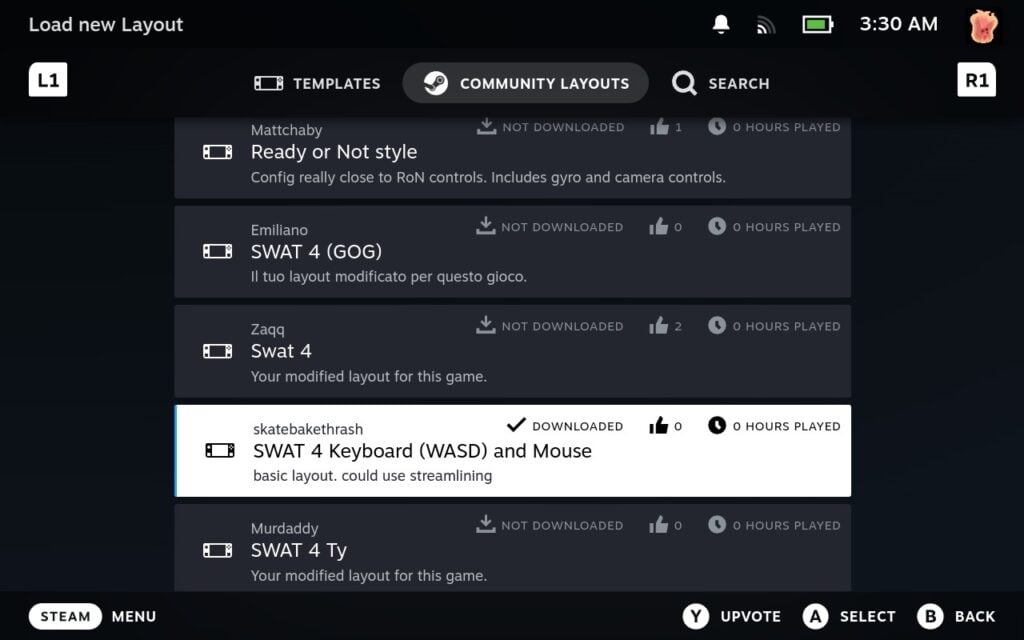
After that, you should be all set to go! Just hit Play and full steam ahead.
Steam Deck Performance & Issues
Performance-wise, SWAT 4 runs like a charm on the Steam Deck. It really feels like it fits right in, and you'll be able to enjoy it at 60 or 90 FPS if preferred. However, the game starts off on the lowest settings with low resolution, so we just need to go to the settings to change it. I recommend setting the Render quality to "Very High" and resolution to "1280x1024." It's a weird one, but it should fit the screen nicely, look sharp, and still keep the framerate as high as desired.
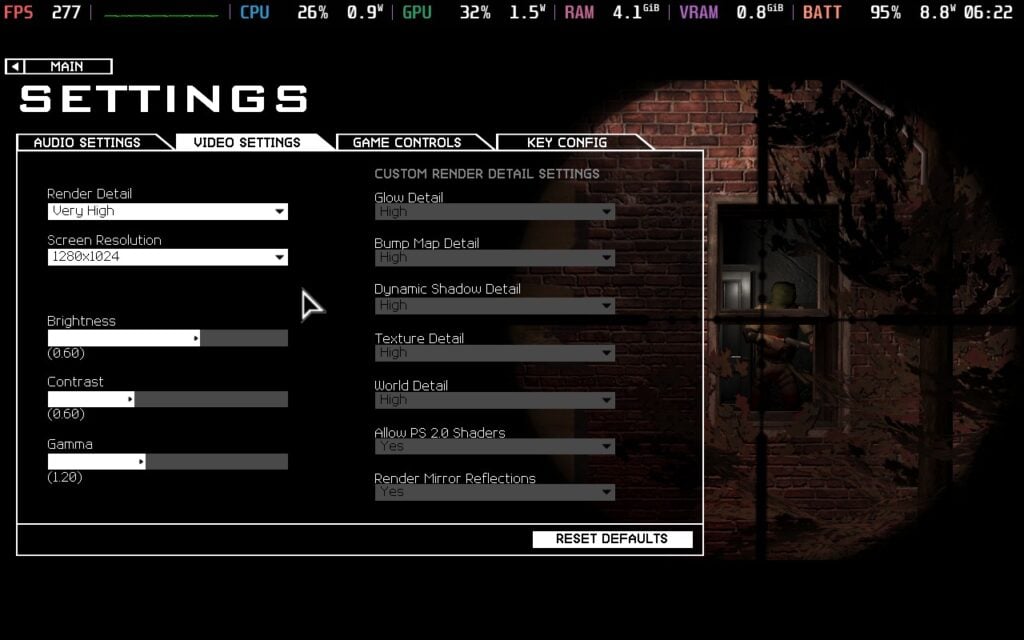
Now, we should all be ready to play in the best possible settings with no compromises whatsoever. And that includes battery life, with over 6+ hours on OLED with around 8W battery drain and under.
Gameplay
SWAT 4 is a tactical first-person shooter that can be played alone or with friends. You team up, sneak around buildings, and complete objectives like rescuing hostages or eliminating terrorists. Instead of being fast paced, it requires moving slowly and thinking through your steps, as getting shot could be the end of your mission. There are 21 different missions with a range of lethal and non-lethal weapons to take advantage of, as well as tools to help get the job done efficiently.


There really aren't many games like SWAT 4 out there nowadays that give the same feel. We do have some, like Ready or Not, but there's something special about SWAT 4 that I love. I may suck at it, but it's still a great time.
Transformers: Fall of Cybertron (2012)
- Digital Availability: None (Delisted from Steam, and keys are massively overpriced. Disc copies can also be found)
- Version Tested: Disc Installation With NoCD Patch
- Wine/Proton Version Used: Proton Experimental
Installation
It might not be as old as other games we’ve played in the series, but we’ve had a fair few requests for it! Whenever I think of Transformers: Fall of Cybertron, I look back at that incredible E3 trailer. Hell, I am not even a huge fan of Transformers to begin with, and I got hyped watching it.
This is a difficult game to get hold of now, but fortunately the installation process can be very simple. For those lucky enough to own the game on Steam, you install the game as you would any other. Whatever way of installation, I recommend using the Proton Experimental compatibility layer, as it would boot into a black screen for me otherwise.
If you have a physical disc of the game, you can use a USB DVD drive or an ISO and use Lutris to install the game that way. Insert the Transformer: Fall of Cybertron disc into your USB DVD Drive and select “Install a Windows game from an executable” when adding a game to Lutris. I named my folder "Transformers: Fall of Cybertron”, but you can name it whatever you want. Proceed along the Lutris steps. Select the “Setup.exe” file on the root of the disc as the setup file for the game when Lutris prompts you for one. Proceed with the installation as usual.
Once you’ve saved the new configuration, you can boot the game as normal from Steam if you made a Steam Shortcut, or from Lutris otherwise. If all else fails, or if you run into a problem with Lutris, you can have it installed on another platform and transfer the installed folder to the Steam Deck through a flash drive, then make a shortcut through Steam.
Steam Deck Performance & Issues
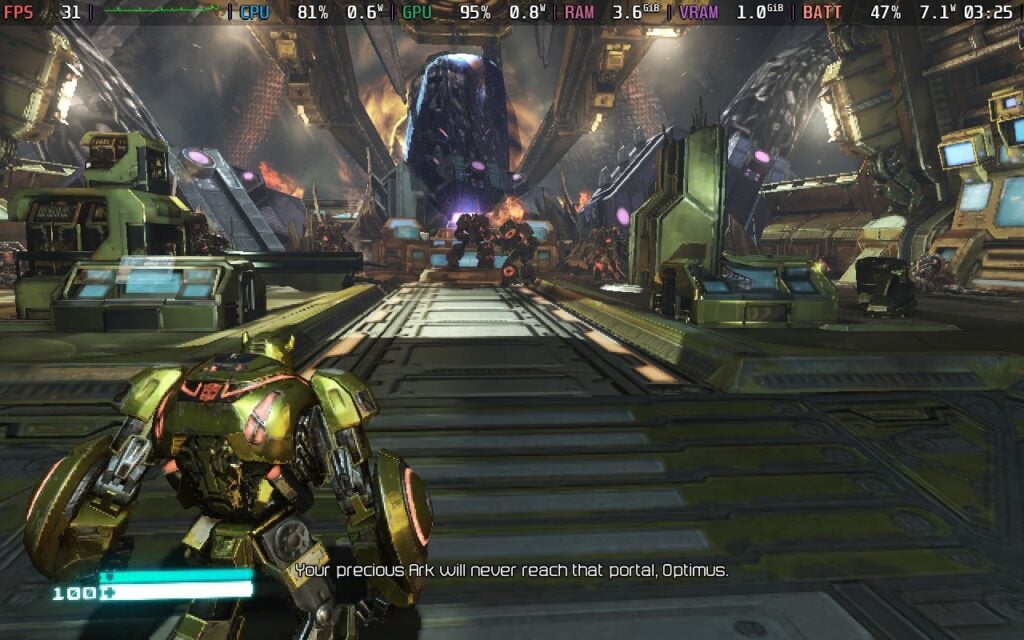
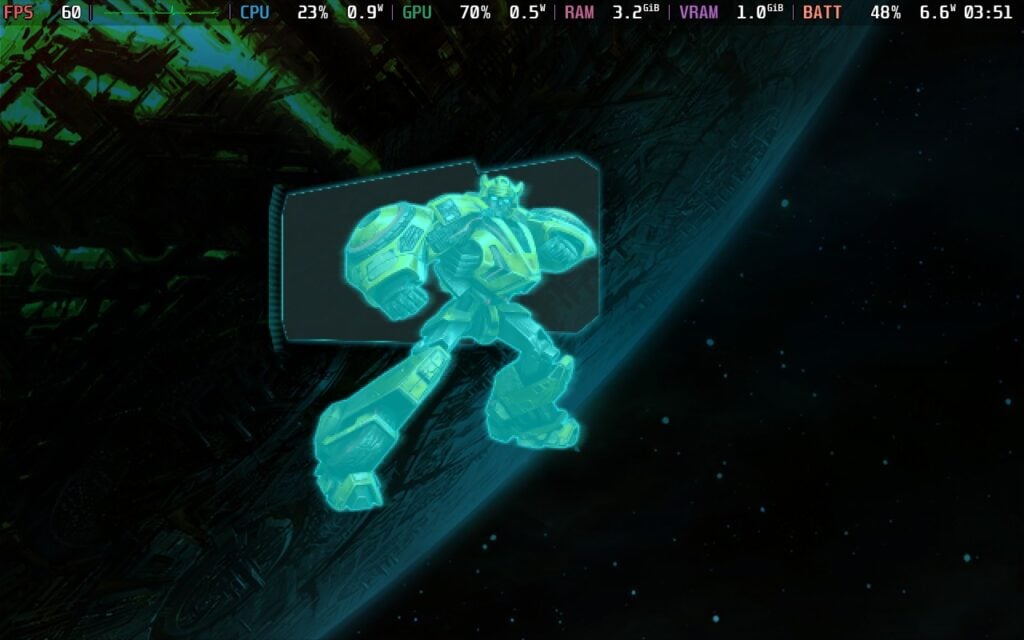
Transformers: Fall of Cybertron runs well on the Steam Deck with full controller support out of the box. I’ve only played through the intro mission so far, but this is an awesome experience that holds up despite a game that is 13 years old.
For best results, I recommend keeping a 60FPS framerate lock, as I found some wonky physics when I tried pushing it over that threshold. The game runs great on high settings, but it will chew through battery life with no tinkering. I saw a power draw of 15 watts, and this was just the introductory mission.
However, you can play Transformers at a lower TDP if you’re willing to sacrifice some performance. I found a TDP of 5 watts, low graphics settings and a 30FPS/60hz frame lock providing a steady 30 FPS frame rate with a power drain of around 10 watts.
Gameplay
Transformers: Fall of Cybertron is probably the best Transformers game that ever got released, boasting some impressive combat within vast environments, with all the fan favorites getting to show off why the series was so popular.
That's it for this week's Classics on Deck. We'll return with more classic games to play on your Steam Deck next week.
Let us know in the comments below if you want us to check out any specific games, too, and we will add them to the list of games we plan on finding and testing.
この記事を楽しんでいただけたなら、SteamDeckHQ の他のコンテンツもチェックしてみてください!あなたのゲーム体験に役立つゲームレビューやニュースを幅広く取り揃えています。ニュース、ヒントやチュートリアル、ゲーム設定やレビュー、最新のトレンド情報など、あらゆる情報をお届けします。 カバーしています!

最近のニュース
カテゴリー
Accessories
Anbernic
Android
ASUS ROG Ally
ROG Xbox Ally
Classics on Deck
Community
Cryobyte33
Deals
Deck Mods
Emulation
Events
Featured Post
Game News
Game News
General Game News
HandheldHQ
Hardware
Lenovo
Linux
MagicX
Nintendo
ONE-NETBOOK
Opinion
Other Reviews
Accessory Reviews
Handheld Reviews
PlayStation
Proton
Retro Handhelds
Anbernic
AYANEO
AYN
GPD
MagicX
MANGMI
Retroid
TrimUI
SDHQ
Steam
Steam Machine
SteamOS
The Unsupported Report
Uncategorized
Uncategorized
最近のヒント&GUIDES
新着レビュー


Can you try running the elite force mod for it? I cannot get this to work on steamdeck
Any chance you can provide me with where you got the NoCD patch? I've been looking everywhere. I've got it installed on my legion go along with XMen origins Wolverine, but have to plug in my portable bd-R drive
Sorry, we can't provide links to NoCD patches/cracks for legal reasons.